Zeus PLC IDE
The native runtime and engineering environment for the IPC-CM400200.
Program, simulate, download and monitor the Zeus PLC from one self-contained Windows package — with no runtime licence to buy per controller, and direct integration with OptiZeus SCADA.
Version 0.1.0.13 · Windows 10/11 x64 · 42 MB
Everything an Engineer Needs, Nothing to Install
Designed around the way automation engineers already work, with the tools they expect from an IEC 61131-3 environment.
Nothing to Install
A self-contained Windows package. Unzip it and double-click — the editor, the compiler and the simulator are all inside. No runtime licence per controller.
Three IEC 61131-3 Languages
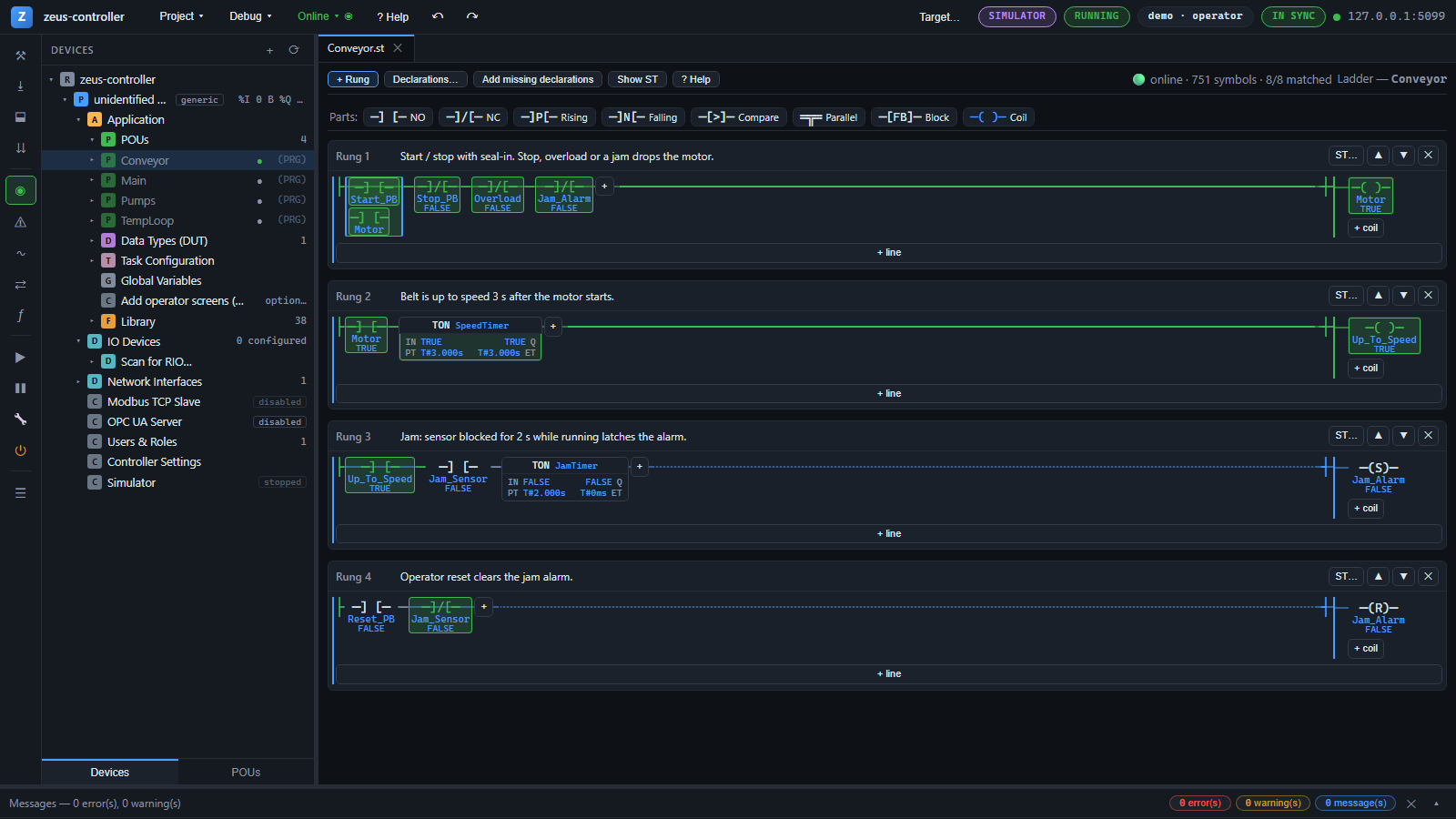
Structured Text with syntax colouring, a graphical Ladder editor, and Sequential Function Charts — function blocks with methods, functions and programs.
Built-in Simulator
Run your program on the real Zeus runtime on your PC before any hardware arrives. Start, stop and download exactly as you would on the controller.
Online Monitoring
Live watch tables with expandable instances and arrays, prepared values, write and force, and live values when you point at a variable in the code.
Data Types (DUT)
STRUCT, enumeration and alias types. Copy whole structures in one line, pass them to function blocks, and paste most DUT text from an existing Codesys project unchanged.
Function Block Library
Scaling, filters, PID with auto-tune, motor and valve control, HVAC, ISA-88 batch phases and IO-Link — with version locking for validated projects.
Multi-Task Configuration
Several programs per task, called in order every scan, set up in a task editor that lists every POU in the project.
Rack Configuration from Vendor Files
Import the EtherCAT ESI or Profinet GSDML, scan the network, and lay out the rack. Channels get aliases, so programs use names instead of addresses.
Undo, Search and Rename
Multi-step undo and redo, find in POU, cross-references ("where used") and project-wide variable rename.
See the IDE
Real screens from the Zeus PLC IDE with its demo project, offline and online. Click a picture to see it full size.
An Advanced Runtime on the Controller
The Zeus runtime runs your program on the IPC-CM400200 and connects it to the plant — fieldbus, SCADA, alarms and data retention built in.
Fieldbus
EtherCAT master with modular couplers, Profinet IO controller with DCP commissioning, Modbus TCP client and server.
SCADA & HMI by Name
OPC UA server with one folder per instance, and a CompactLogix-style EtherNet/IP tag server — HMIs and OptiZeus read PLC tags by name, no register mapping.
ISA-18.2 Alarms
Up to 10,000 alarms with acknowledge, shelve, suppress and out-of-service states, and a journal that records who and when.
Retain & Power-Fail Save
Retained values survive a restart. On supported carriers a power-fail monitor saves and shuts down cleanly on the supercapacitor.
Security
User roles, login lockout, a dedicated service account and protected configuration on the controller.
Output Fault Policy
Per device, choose whether physical outputs clear or hold their last value on STOP and on FAULT.
See the Code
Real programs, compiled with the Zeus compiler and the standard library that ships with the IDE.
Tank fill with a safety timeout
A start button, a level input and a pump output. If the level never reaches the setpoint, the timer stops the pump instead of letting it run for ever.
PROGRAM Main
VAR
    start_pb   AT %IX0.0 : BOOL;
    level      AT %IW2   : INT;
    pump       AT %QX0.0 : BOOL;
    setpoint   : INT := 20000;
    running    : BOOL;
    fill_timer : TON;
    start_edge : R_TRIG;
END_VAR
start_edge(CLK := start_pb);
IF start_edge.Q THEN running := TRUE; END_IF;

(* A fill that never completes must not run the pump for ever *)
fill_timer(IN := running AND (level < setpoint), PT := T#120s);
IF fill_timer.Q THEN running := FALSE; END_IF;

pump := running AND (level < setpoint);
END_PROGRAMWhat Is Coming Next
Zeus Motion
Axis control for CiA 402 servo drives over EtherCAT, with PLCopen motion blocks.
Controller redundancy
Two CM400200 controllers in warm hot-standby on one EtherCAT segment.
IO-Link field validation
The IO-Link library and port configuration are available; validation on the Odot IP-series masters is in progress.
Try It on Your PC Today
Download the IDE, open the example project and run it in the simulator — then talk to us about the IPC-CM400200 with the native runtime.