Program a PLC in 10 minutes - free
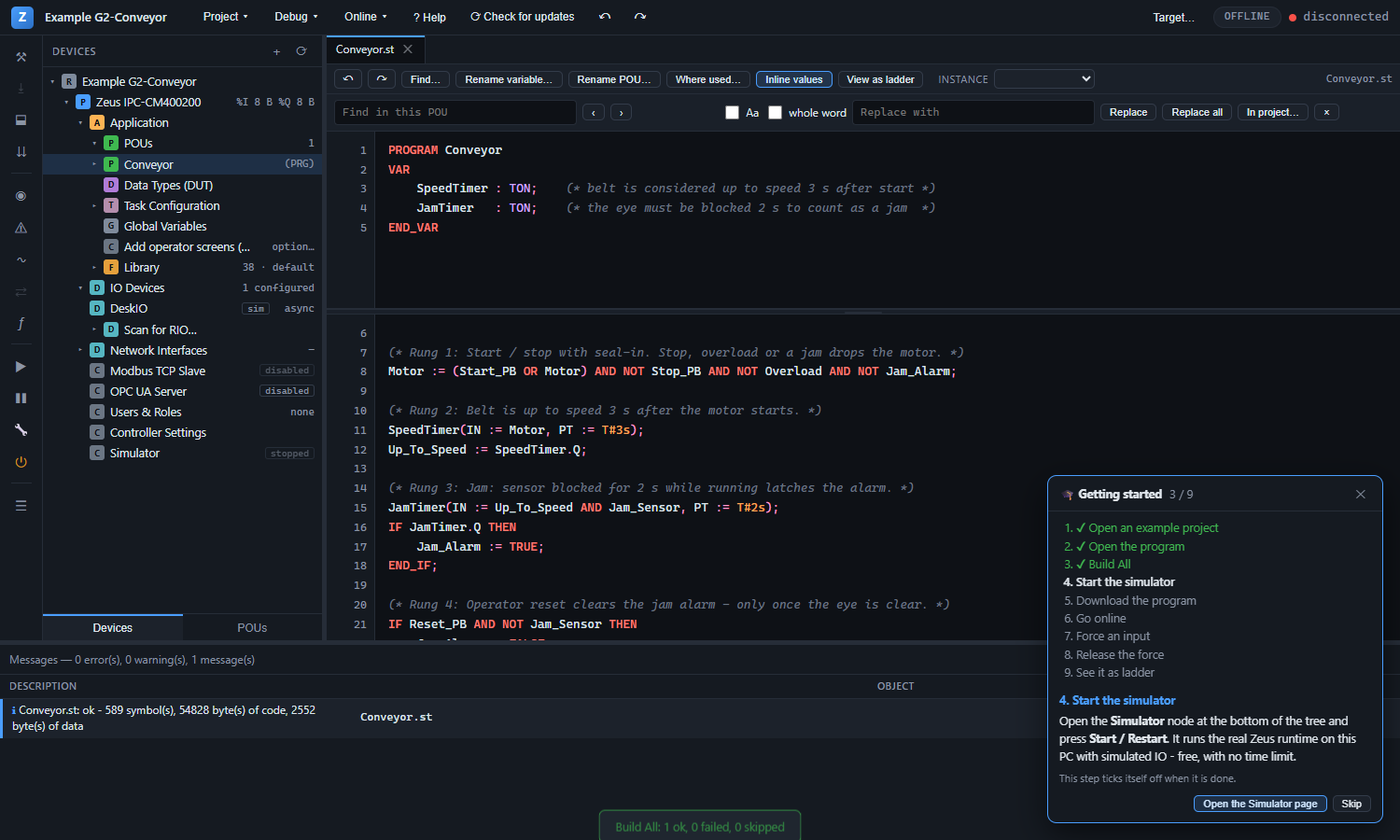
The Zeus PLC IDE with its built-in simulator: IEC 61131-3 Structured Text, Ladder and SFC, live values in the code, ten ready example projects and a guided tutorial that ticks itself off as you go. Free, with no time limit for learning and testing.
Three Steps to Your First Program
Download
One ZIP for Windows 10/11. No installer, no account on your PC, nothing else to download.
Unzip and double-click
Open the folder and double-click "Zeus PLC IDE.cmd". The IDE opens in its own window.
Follow the tutorial
A 10-minute guided tour starts by itself: open an example, run it in the simulator, watch it live.
A Guided Tutorial and Ten Real Examples
Nothing to type in: open a working project, run it, change it.
The tutorial - 9 steps
- Open an example project
- Open the program
- Build All
- Start the simulator
- Download the program
- Go online
- Force an input
- Release the force
- See it as ladder
Each step ticks itself off when you have done it.
The examples
- F1Factory I/O: drive a 3D conveyor scene on your PC over Modbus TCP - start, stop, count boxes
- G1Tank fill with level control, safety timeouts and alarms
- G2Conveyor with start/stop, jam detection and fault reset (also in Ladder)
- G3Temperature control with PID and auto-tune - with a plant model, so the loop really works
- G4Duty/standby pump set with alternation and run-hour balancing
- G5Valve and motor management with a device table (structures and arrays)
- G6Batch mixing sequence in SFC
- G7A multi-task project - programs at different rates
- G8IO-Link sensor: parameters at start-up and event handling
Each one runs in the simulator as it is, and is explained step by step in the Operation Manual.
Free to Learn and Develop, Zeus for Production
Everything for programming and testing is free. A Zeus controller runs your program in production - with no per-unit runtime licence.
| Free IDE + simulator | On a Zeus controller | |
|---|---|---|
| IDE: Structured Text, Ladder and SFC editors, data types, function-block library | ||
| Simulator on your PC - the real Zeus runtime, simulated IO | ||
| Online monitoring, live values in the code, write and force, ladder power flow | ||
| Operator screens (HMI) designer, OPC UA and EtherNet/IP tag server configuration | ||
| Ten example projects and the guided tutorial | ||
| Drive a 3D Factory I/O scene on the same PC (Modbus TCP) | No limit | |
| Time limit for learning, testing and development | None | None |
| Real IO (Profinet, EtherCAT, Modbus TCP, EtherNet/IP) and Modbus slave | 2-hour demo | Unlimited |
| Production use |
Made for Everyone Who Programs PLCs
Students and teachers
Learn IEC 61131-3 on a laptop with no hardware. Free for classrooms - talk to us about course material.
Automation engineers
Evaluate the language, the editors and online change on your own logic before a project starts.
System integrators
Prepare and test the application in the office, then download to the Zeus controller on site.
Questions Answered
Yes. The IDE and the simulator are free to download and use, with no time limit, for learning, testing and developing programs. What you buy is the Zeus controller (IPC-CM400200 / IPC-CM500200), which runs your program in production with no per-unit runtime fee.
Your First PLC Program, Today
Download the IDE, follow the tutorial, and run your first program in the simulator in about ten minutes.